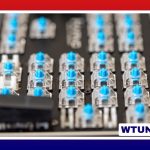
A used ZSA Voyager can be an appealing way to try a compact ergonomic split keyboard while spending less than you would on a new one. Its split design, programmable layers, compact layout, and customizable switches make it useful for programmers, writers, editors, and anyone who spends long periods typing.
However, a pre-owned keyboard deserves more than a quick visual inspection. The condition of the switches, hot-swap sockets, cables, thumb clusters, and programmable functions can have a greater effect on value than minor cosmetic marks. Use the following checks to compare listings and avoid unpleasant surprises.
Why consider a used ZSA Voyager?
The main advantage is usually the lower purchase price. The exact saving depends on the keyboard’s age, condition, switches, keycaps, and included accessories. A used Voyager may also come with modifications that would cost extra to add later, such as preferred switches or replacement keycaps.
Buying used can make particular sense if you already understand split keyboards and want to experiment with a compact layout. The Voyager’s programmable layers allow frequently used shortcuts, symbols, modifiers, and macros to be arranged around your workflow. A pre-owned unit can therefore be personalized rather than treated as a fixed, traditional keyboard.
What to inspect before buying
Ask the seller for clear photographs and, when possible, a short demonstration that every key works. A simple key tester or text editor can reveal keys that fail to register, chatter, or behave inconsistently.
- Switches: Check for uneven resistance, sticking, unusual noise, or a key that feels different from its neighbours. Heavy use does not automatically make a keyboard a bad purchase, but inconsistent feel may indicate worn or damaged switches.
- Hot-swap sockets: If the model has hot-swappable switches, confirm that the sockets are intact and that switches are held securely. Damage can occur when switches have been removed incorrectly.
- Thumb clusters: Test these keys carefully because they are important to many Voyager layouts and may receive frequent use.
- Cables and connectors: Look for fraying, bent connectors, loose connections, or intermittent power. Ask whether both halves connect reliably during use.
- Case and feet: Small scratches are generally cosmetic, but cracks, dents, or missing feet can affect stability and resale value.
- Keycaps: Look for worn legends, damaged stems, or mismatched profiles. Replacements may be easy to find, but their cost should be included in your budget.
Confirm the keyboard’s configuration
A used Voyager may arrive with a layout created for the previous owner. Ask whether the seller will reset or remove personal layers and macros before shipment. If that is not possible, plan to configure the keyboard yourself after receiving it.
Also ask which switches and keycaps are installed, whether any parts have been replaced, and whether the keyboard has been modified or repaired. Do not assume that a listing’s photographs show the exact included accessories. Confirm what is supplied, including cables, keycaps, spare switches, packaging, and any other items relevant to the sale.
Firmware and configuration details are worth recording, but an older firmware version is not necessarily a defect. The important questions are whether the keyboard can be configured as expected and whether custom layouts remain available after the device is disconnected and powered again.
Is a used Voyager suitable for your workflow?
The split arrangement can help users separate the keyboard halves to suit their desk and posture. Its compact footprint also leaves more room for a mouse, trackpad, drawing tablet, or notebook. Programmers may value layers for symbols and shortcuts, while writers and editors may prefer thumb-key access to common modifiers and commands.
There is still an adjustment period. A compact split layout may feel unfamiliar if you are moving from a conventional full-size or laptop keyboard. Consider whether you are comfortable learning a new arrangement before treating the used price as a bargain.
Maintenance and possible upgrades
Remove dust and debris regularly, and clean keycaps separately when needed. If a switch fails, a hot-swappable version can generally be easier to service than one requiring soldering. For a soldered configuration, repairs may require suitable tools, experience, or outside help.
Replacement switches and keycaps can refresh the feel and appearance of an older unit. Add those costs to the purchase price before comparing it with a new keyboard. A low listing price may be less attractive if it requires several repairs or a complete set of replacement parts.
Choosing a seller and judging the price
Look for listings with detailed descriptions, recent photographs, and a clear account of modifications or faults. Mechanical-keyboard communities and second-hand marketplaces can provide useful leads, but the platform’s protections and return terms still matter. A seller who can provide a key-test video or answer specific questions is easier to assess than one offering only a generic description.
When comparing prices, account for condition, switch type, keycaps, accessories, shipping, and likely upgrades. If buying locally, test both halves and as many keys as possible before paying. For a remote purchase, use a payment method and marketplace process that provide appropriate buyer protection.
Final checklist
- Verify the exact model and included parts.
- Test every key, both halves, cables, and connectors.
- Confirm the switches are hot-swappable or soldered as advertised.
- Ask about repairs, modifications, firmware, and custom layouts.
- Inspect the case, feet, keycaps, and thumb clusters.
- Include shipping, repairs, and upgrades in the total cost.
- Prefer listings with clear photos, testing evidence, and buyer protection.
With these checks, a used ZSA Voyager can be a practical route to a customizable split keyboard at a more manageable price. The best purchase is not necessarily the cheapest listing, but the one whose condition, configuration, and likely follow-up costs are clearly understood.