
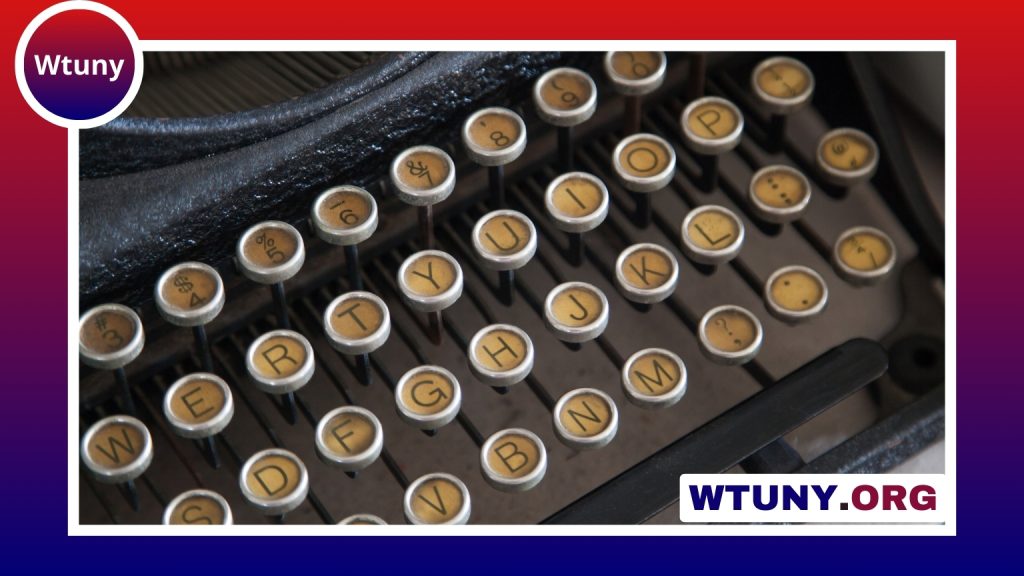
A retro typewriter keyboard wireless combines the visual character of a classic typewriter with the convenience of modern connectivity. Round keycaps, raised profiles, and vintage-inspired frames can give a desk a distinctive look, while Bluetooth or wireless USB connections keep the workspace free from cable clutter.
These keyboards are especially appealing to writers, home-office users, designers, and anyone building a themed workspace. However, appearance is only part of the decision. Switch feel, layout, connectivity, comfort, and compatibility all affect whether a vintage-style keyboard works well for everyday typing.
Why choose a wireless typewriter-style keyboard?
The main attraction is the combination of tactile feedback and retro design. Many models use mechanical switches or other raised-key designs that provide a noticeable response as each key is pressed. Some users enjoy the deliberate rhythm and audible feedback, particularly during long writing sessions.
Wireless connectivity adds practical flexibility. A Bluetooth keyboard can pair with a laptop, tablet, or phone without requiring a permanent cable connection. If the keyboard supports several paired devices, it may also be possible to move between a work computer and a tablet without repeating the setup process each time.
- Vintage styling can add personality to a home office or creative workspace.
- Mechanical or tactile switches provide more pronounced key feedback than many low-profile office keyboards.
- Wireless operation reduces desk clutter and makes the keyboard easier to reposition.
- Some models support both Bluetooth and a wireless USB receiver for greater flexibility.
Design and build considerations
Retro keyboards commonly use round or sculpted keycaps, a high-profile layout, and a frame designed to resemble a traditional typewriter. Finishes may include metal-look surfaces, wood-style details, or other decorative elements. These features can make the keyboard a visual focal point, but they should not distract from construction quality.
Look closely at the keycaps, frame, stabilisers, and adjustable feet. A keyboard that looks convincing but feels unstable can become frustrating during regular use. A detachable wrist rest or a modest typing angle may also improve comfort, although a vintage appearance does not automatically make a keyboard ergonomic.
Typing feel, sound, and comfort
Switch choice has a major effect on the experience. Clicky switches tend to produce a sharper sound and stronger sense of actuation, while tactile switches can offer feedback with less noise. Softer or quieter options may be more suitable for shared offices, video calls, or households where other people work nearby.
High-profile keycaps and mechanical switches can feel enjoyable, but they may require more hand movement than a slim laptop keyboard. Consider the height of the keyboard, the position of your wrists, and whether you can maintain a relaxed posture. A separate wrist rest or a small adjustment to the keyboard angle may help create a more comfortable setup. For a more ergonomic typing experience, compare retro layouts with ergonomic keyboard alternatives designed for comfortable everyday use.
Sound is another practical issue. The distinctive typewriter-like click can be part of the appeal, but it may not suit every environment. If quiet operation matters, prioritise a tactile or dampened switch design rather than choosing solely by appearance.
Wireless connectivity and device compatibility
Before buying, check how the keyboard connects and which operating systems it supports. Bluetooth is useful for laptops, tablets, and phones, while a 2.4 GHz wireless receiver can provide a dedicated desktop connection. Some keyboards offer both options, allowing you to choose between portability and receiver-based convenience.
Multi-device pairing is helpful if you regularly switch between a computer and tablet. Mac users should confirm that the keyboard supports macOS shortcuts and has suitable key legends. For an iPad, check whether the keyboard provides the expected iPadOS modifier keys and shortcut behaviour. Windows compatibility, charging method, and any included receiver should also be confirmed before purchase.
Layout and useful features
Retro styling is available in several sizes. A compact layout saves space and can be easier to carry, but it may omit navigation keys or a number pad. A full-size keyboard with a number pad is more practical for spreadsheets, accounting, and data entry, although it occupies more desk space.
Other features worth checking include:
- Battery capacity and whether the keyboard can be used while charging.
- USB-C charging or another convenient charging connection.
- Backlighting, if you often type in dim conditions.
- Key remapping or software support for custom shortcuts.
- Anti-ghosting or rollover features if the keyboard will also be used for gaming.
- A matching wireless mouse, if you want a coordinated desk setup.
Who is a retro typewriter keyboard best for?
Writers may enjoy the deliberate, tactile character of the keys, while designers and content creators may value the distinctive appearance in a studio or on camera. Office users can benefit from wireless convenience, provided the sound and layout suit their workplace. Some models can also serve as gaming keyboards when they include responsive switches and gaming-oriented features, though the typewriter-inspired design should not be mistaken for a guarantee of gaming performance.
How to make the right choice
Start with your daily tasks rather than the styling. Choose a quieter switch for shared spaces, a number pad for extensive data entry, and multi-device Bluetooth if you move between several screens. If you prefer a more responsive desktop connection, look for a model that includes a 2.4 GHz receiver. Confirm the operating-system layout, charging method, physical size, and return policy before committing.
The best retro typewriter keyboard wireless is one that balances character with everyday usability. When the switch feel, layout, wireless options, and comfort match your routine, the result can be both a practical input device and a distinctive part of the workspace.






