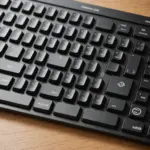
The right Logitech accessory can make a familiar device more comfortable, easier to control, and better suited to the way you work or play. A keyboard may improve a desk setup, a webcam can make video calls clearer, and a protective case can make a Logitech G Cloud easier to carry. The best choice depends less on buying the most advanced product and more on matching the accessory to your device, workspace, and everyday habits. Check our Logitech model compatibility page for accessories matched to mainstream brand and model specifics.
Start with the device and the task
Before comparing features, identify the device you want to improve and the problem you are trying to solve. Someone building a gaming setup will have different priorities from someone creating a quiet home office or carrying a handheld between locations.
- For office work: consider a comfortable keyboard, an ergonomic mouse, a webcam, or a headset for calls.
- For gaming: focus on response time, sensor accuracy, comfort, keyboard feel, and dependable wireless performance.
- For streaming and content creation: look for a consistent webcam setup, clear audio, adjustable controls, and a stable desk or tripod mount.
- For portable use: prioritize compact designs, protective cases, charging options, and accessories that do not add unnecessary weight.
Popular Logitech accessory categories
Keyboards and mice
Wireless keyboards and mice can reduce cable clutter and make it easier to switch between devices, while wired models may suit users who prefer a direct connection without charging. When selecting a keyboard, compare its size, layout, key feel, and operating-system support. Full-size models include a number pad, whereas compact and tenkeyless designs leave more room for a mouse.
A mouse should fit your hand comfortably and provide the level of control your work requires. Office users may value quiet clicks, scrolling, and customizable buttons. Gamers may place greater importance on sensor performance, weight, polling or connection options, and reliable tracking. Ergonomics matter in both cases, particularly if the accessory will be used for several hours at a time.
Webcams and headsets
A webcam is useful for meetings, online teaching, streaming, and personal calls. Check its resolution, field of view, mounting method, and compatibility with the software you use. Placement is also important: a stable position at approximately eye level can produce a more natural image than a camera placed too low or too far away.
Headsets combine headphones and a microphone in one device, which can simplify a desk or gaming setup. Compare connection types, microphone controls, comfort, and whether the headset supports the computers, consoles, or mobile devices you plan to use. If you already own separate audio equipment, a standalone Logitech microphone may be a better fit for a dedicated recording or streaming space.
Accessories for gaming and streaming setups
A gaming setup often benefits from several complementary accessories rather than one major upgrade. A suitable mouse pad gives the mouse a consistent surface, while a comfortable headset helps with game audio and voice chat. Some Logitech gaming products also support customization through Logitech G HUB, including button assignments, lighting, and performance settings where supported.
For streaming, consider how the accessories work together. A webcam needs a stable mounting position, and a microphone should be placed so it captures clear speech without obstructing the screen. Cable length, desk space, and available USB ports can become practical limitations, so measure the setup before buying additional equipment. Explore tablet protection options among Logitech accessories, including a case designed specifically for your iPad Air 2.
Logitech G Cloud accessories
Owners of the Logitech G Cloud may want accessories that improve protection, charging, or comfort during handheld use. A fitted case can help protect the device while travelling, while a screen protector may reduce the risk of scratches. Grips or other ergonomic additions may be useful during longer sessions, provided they do not interfere with buttons, vents, or access to ports.
For extended use away from a wall outlet, check whether a USB-C cable, compatible power bank, or compact charging solution meets the handheld’s requirements. USB-C hubs and adapters can add connection options, but compatibility should be confirmed before purchase. Bluetooth accessories may also be useful, although users should check supported connection types and available ports for the specific setup.
How to check compatibility
Compatibility involves more than matching the Logitech brand. Confirm the exact model name and generation of your device, then review the accessory’s supported platforms, connection method, and required software. Pay attention to the following details:
- Whether the accessory uses USB-A, USB-C, Bluetooth, or another connection.
- Whether the case, stand, mount, or wrist rest matches the device’s dimensions.
- Whether advanced features require Logitech G HUB, Logi Options+, drivers, or firmware updates.
- Whether multi-device pairing works with the operating systems you use.
- Whether the product supports the buttons, ports, and functions you need.
For model-specific choices, use the manufacturer’s product specifications and a reliable compatibility guide rather than relying only on photographs or a general product description.
Buying and maintaining Logitech accessories
Purchase from the official Logitech store or a reputable authorized retailer when authenticity, returns, and warranty support are important. If buying through a marketplace, check the seller’s reputation, the exact model number, and the condition of the item.
After installation, keep supported software and firmware updated, clean high-touch surfaces carefully, and store portable accessories where they will not be crushed or exposed to moisture. Replacing worn items such as mouse feet, cables, or keycaps—when compatible replacements are available—can extend the useful life of the main device.
Whether you are improving a work desk, assembling a gaming station, upgrading a streaming setup, or protecting a Logitech G Cloud, a deliberate approach produces better results. Match the accessory to the device, verify the connection and software requirements, and give equal attention to comfort, placement, and long-term use.