
A keyboard with 104 keys is the familiar full-size layout used for office work, home computing, programming, gaming, and data entry. It combines the main typing area with dedicated function keys, navigation controls, arrow keys, and a numeric keypad. That combination makes it a practical choice for anyone who wants a complete set of controls without relying heavily on shortcuts or on-screen number pads.
What a 104-key keyboard includes
The exact design can vary by manufacturer, but a typical 104-key keyboard contains:
- Alphabetic keys and the number row for standard typing
- Function keys across the top, usually marked F1 through F12
- A dedicated numeric keypad on the right side
- Arrow keys for navigation
- Insert, Home, End, Page Up, and Page Down keys
- Control keys such as Shift, Ctrl, Alt, and the Windows or command key, depending on the system
The defining feature is the full-size arrangement. Unlike compact and tenkeyless keyboards, a 104-key model keeps the numeric keypad and the separate navigation cluster in their traditional positions.
Why choose the full-size layout?
The numeric keypad is especially useful for spreadsheets, accounting software, calculator applications, and repetitive data entry. Entering numbers with a dedicated keypad can feel faster and more convenient than using the number row above the letters.
Dedicated function and navigation keys can also make everyday work more efficient. Writers, programmers, and office users may use these keys for editing, moving through documents, running software commands, or accessing shortcuts. Because the layout is widely recognised, switching between different full-size keyboards is usually straightforward.
A full-size keyboard does require more desk space than a compact model. The added width can also place the mouse farther away, which may matter to users who prefer a narrow setup or need to move the mouse frequently. For those users, a tenkeyless or smaller layout may be more comfortable.
Wired or wireless?
A 104-key wired keyboard is a strong option when dependable, uninterrupted operation is the priority. It does not require batteries or recharging, and setup is generally simple: connect the cable to a compatible USB port and allow the computer to recognise the device.
Wired models can be useful in workplaces where wireless connections are restricted or undesirable. They are also a practical choice for long shifts and fixed desk setups. Wireless models provide a cleaner desk and easier repositioning, but they introduce additional considerations such as battery life and the reliability of the wireless connection. The best choice depends on whether mobility or continuous, cable-connected operation matters more.
Switch types and typing feel
The number of keys does not determine how a keyboard feels. The switch technology beneath the keycaps has a major effect on sound, feedback, and operation.
- Membrane switches: Often quieter and more affordable, making them common for general office use.
- Scissor switches: Typically offer a shorter, more compact key movement and a quieter typing experience.
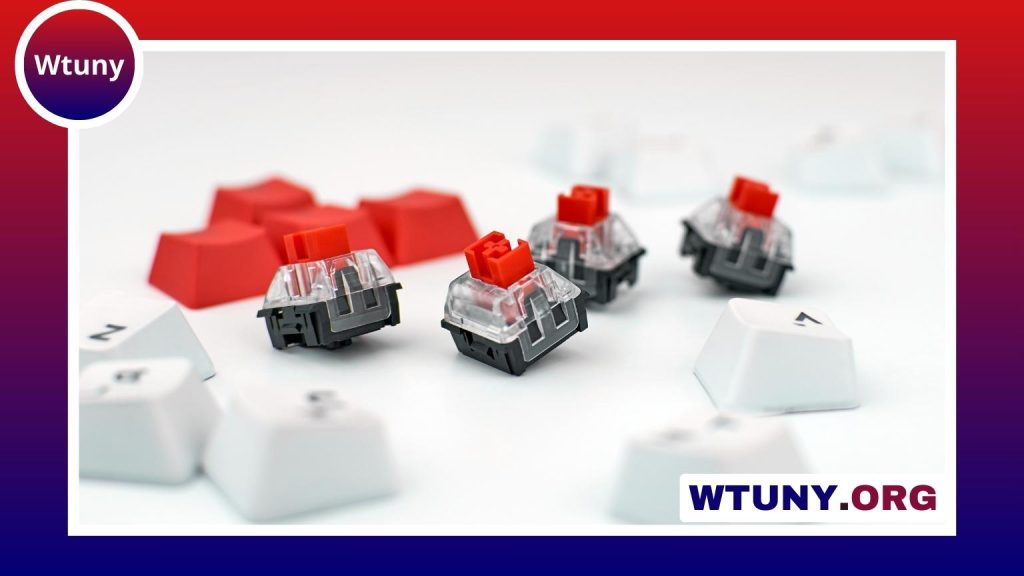
- Mechanical switches: Provide distinct physical feedback and are popular with users who want a more responsive or durable-feeling keyboard.
When possible, consider the sound and resistance of the switches before buying. A loud, highly tactile keyboard may suit one user but be distracting in a shared office.
Features worth comparing
After confirming that the layout meets your needs, compare the features that affect daily use:
- Backlighting: Helpful when working in dim conditions, with brightness and colour options varying by model.
- Media controls: Dedicated buttons or shortcuts for volume and playback can reduce interruptions.
- Programmable keys: Useful for assigning repeated commands or application shortcuts.
- Key rollover: Important when several keys may need to register at the same time.
- Ergonomic design: Look for a stable chassis, suitable key height, and a comfortable typing angle.
- Spill resistance: A useful safeguard in busy offices or shared workspaces, though it does not make a keyboard waterproof.
Who benefits most from 104 keys?
Accountants, spreadsheet users, finance workers, and data-entry professionals often benefit most from the dedicated numeric keypad. Office users may also appreciate the predictable arrangement and separate navigation controls. Programmers and writers can make use of the function keys and editing cluster, while some gamers prefer the extra keys for shortcuts or macros. However, competitive players and people with limited desk space may favour a more compact keyboard to leave additional room for the mouse.
Buying and maintenance advice
Check the keyboard’s dimensions before ordering, especially if your desk has limited depth or width. Confirm the connector and operating-system compatibility, and decide whether features such as programmable keys require additional software. Warranty coverage and long-term durability reviews can be more useful than impressions based only on a short initial test.
To maintain a keyboard, remove loose debris carefully, clean the keycaps with an appropriate mild solution, and avoid forcing liquid into the switches. For a wired model, prevent sharp bends in the cable and disconnect it by the connector rather than pulling the cord.
A 104-key keyboard remains a versatile foundation for full-time typing, numeric input, and general computer work. Choose between wired and wireless connectivity, then match the switch type, ergonomics, and extra features to the tasks you perform most often.






