
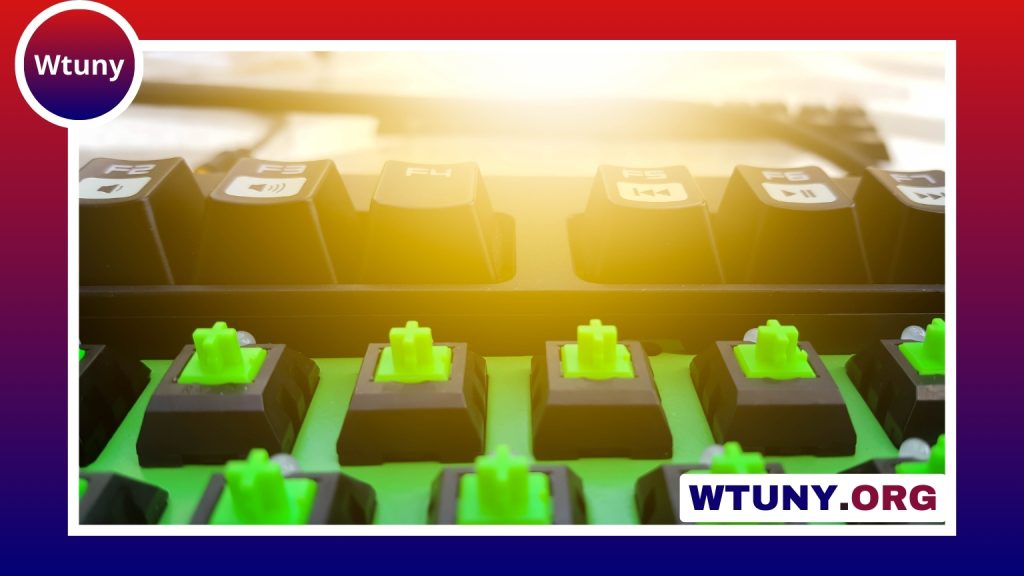
Key switches determine much of a keyboard’s character. They affect how much force each key needs, when an input registers, how the keys sound, and how stable or smooth they feel. The best choice depends less on a universal ranking and more on your typing habits, gaming preferences, noise limits, and willingness to customise. For comprehensive switch testing and model comparisons, see our key switch reviews of many keyboards.
Understand the three main switch profiles
Linear switches
Linear switches move straight down without a tactile bump or deliberate click. Their consistent travel makes them popular with gamers and with users who prefer a smooth, uninterrupted keystroke. Light linear switches can feel quick, while heavier versions provide more resistance and may help prevent accidental presses.
Tactile switches
Tactile switches include a noticeable bump during the keypress. That feedback can help typists recognise actuation without bottoming out every key. Tactile switches are often a practical choice for keyboards used for both work and gaming, particularly when you want feedback but do not want an intentionally loud click.
Clicky switches
Clicky switches combine a tactile bump with an audible click. The sound and feedback can make typing feel deliberate and satisfying, but they may be unsuitable for shared offices, recording spaces, or rooms where other people are sleeping. A switch can be tactile without being clicky, so these categories should not be treated as interchangeable.
Force and travel are just as important as switch type
Switch profile is only the starting point. Spring weight changes how much pressure is required to press a key. Lighter springs may feel quick and reduce the effort required for repeated presses, while heavier springs can provide a more deliberate feel and help reduce unintended inputs.
Travel and actuation distance also influence the experience. A shorter actuation point can feel responsive in fast-paced games, whereas a longer, more deliberate press may suit users who prefer a fuller typing motion. These differences are matters of preference rather than guarantees of better performance, so trying switches before buying is valuable.
Switch choices for gaming
Many gamers begin with smooth linear switches, especially when they prefer consistent movement and low resistance. Examples commonly considered for this role include Cherry MX Speed Silver, Cherry MX Red, Gateron Ink Black, and Gateron Yellow. Speed Silver is associated with a shorter actuation point, while heavier options such as Ink Black provide more resistance.
If you want feedback while avoiding the sound of a click mechanism, a light tactile switch may be a better fit. Kailh Box Brown is one example from the supplied range of options. For competitive play, focus on a switch that feels consistent to you, does not cause accidental presses, and allows you to reset your fingers comfortably between inputs. A shorter actuation point is not automatically an advantage if it makes your typing feel imprecise.
Switch choices for typing and mixed use
Tactile switches are often a strong starting point for long writing sessions, programming, and keyboards shared between work and gaming. Zealios V2 and Holy Panda-style switches are known for a more pronounced tactile event. They can make each press feel clearly defined, although a strong bump may be tiring or distracting for some users. For a broader comparison of typing experiences, explore keyboard switch feel when weighing Apple and Logitech options.
Typists who enjoy audible feedback may prefer clicky choices such as Cherry MX Blue or Kailh Box White. Before choosing them, consider the environment around your desk. If you want tactile feedback with less emphasis on a click, quieter tactile designs or electrostatic capacitive options such as Topre may be worth investigating. These options can feel different from conventional mechanical switches, so hands-on testing is especially useful.
Do switch colours tell you enough?
Colour names are convenient labels, but they are not a universal specification. Red is often used for linear switches, brown for tactile switches, and blue for clicky switches, yet manufacturers can apply these conventions differently. Cherry MX Red and Cherry MX Black, for example, share a linear profile but differ in spring weight.
Compare the actual specifications and feel rather than buying based on colour alone. Two switches with the same colour name can have different force curves, actuation points, housings, and sound. Transparent housings may also be useful in an RGB keyboard because they allow more light through, making appearance another consideration when building a board.
Installation and switch compatibility
A hot-swap keyboard lets you replace switches without soldering, making it the easiest platform for experimenting. A soldered keyboard requires switches to be removed and installed with soldering equipment, so changing options is more involved. Before ordering, check that the switches match your keyboard’s socket and physical layout.
Try a switch tester, borrow a keyboard, or visit a shop when possible. Test more than one key and spend enough time typing to notice fatigue, accidental presses, sound, and how the larger keys feel. A small tester cannot always reproduce the experience of a complete keyboard.
Tuning for a better feel
- Lubing: Lubricant applied appropriately to stems and springs can reduce friction and unwanted noise.
- Switch films: Films can reduce looseness between switch housing components when a switch has noticeable wobble.
- Stabiliser tuning: Lubing and adjusting stabilisers can improve larger keys such as the spacebar, Shift, and Enter.
These modifications are optional and require care. Start with a few switches before tuning an entire board, and avoid applying excessive lubricant.
Make the choice based on your priorities
Choose a smooth linear switch if uninterrupted travel and gaming responsiveness are your priorities. Choose a tactile switch if you want clear feedback for typing and mixed use. Choose a clicky switch when audible confirmation is part of the experience and noise is not a concern. Then refine the decision using spring weight, travel, sound, compatibility, and the possibility of hot-swap experimentation. The best key switches are the ones that remain comfortable and predictable throughout the way you actually use your keyboard.






