
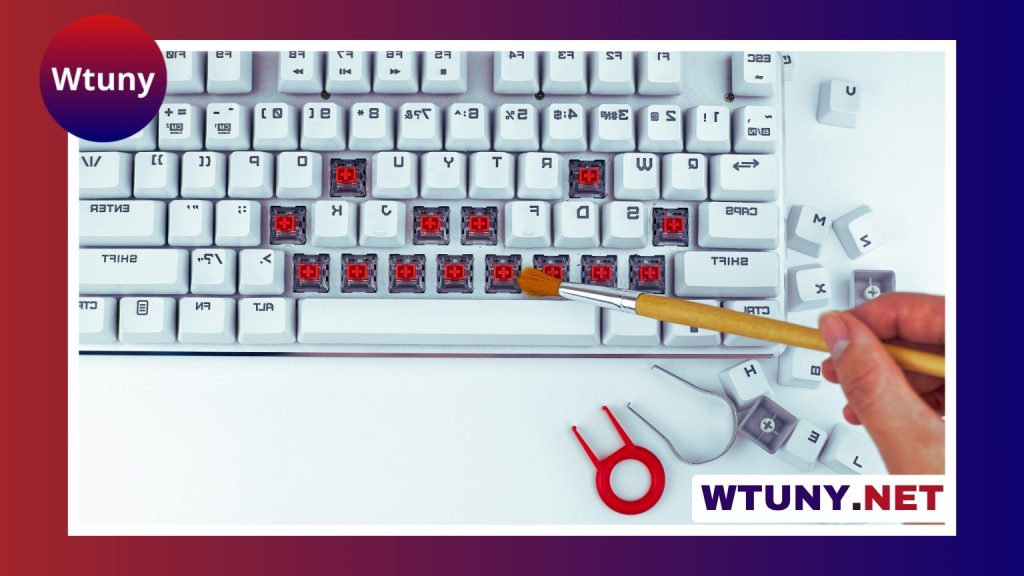
A silent gaming keyboard is designed for people who want responsive, comfortable input without the loud clatter associated with many mechanical keyboards. It can be useful for late-night gaming, shared homes, open-plan offices, streaming, voice recording, and any desk where keyboard noise is a distraction.
Quiet operation does not have to mean giving up gaming features. The right keyboard can still provide fast input, reliable rollover, useful media controls, and a layout that works well for both games and everyday typing. The key is to balance sound level with switch feel, ergonomics, connectivity, and build quality.
Why choose a quiet gaming keyboard?
Keyboard noise can travel easily through a shared room, especially during rapid gameplay or long typing sessions. A quieter model helps reduce distractions for family members, roommates, colleagues, and anyone nearby. It can also make recorded audio cleaner by reducing the amount of key noise picked up by a microphone.
For office use, a quiet keyboard can make frequent typing less disruptive while still offering a familiar, responsive feel. A wireless model can also help create a less cluttered workspace, while a wired keyboard may be preferable when consistent connectivity and minimal delay are the highest priorities.
Mechanical, membrane, and scissor-switch options
The keyboard mechanism has a major effect on both sound and feel.
- Silent mechanical switches: These switches use dampening components to reduce the sound produced when a key is pressed and released. They are available in linear and tactile versions, so users can choose between a smooth keystroke or noticeable feedback without the sharp noise of a conventional mechanical switch.
- Membrane keyboards: Membrane designs are generally quieter and often have a softer, less pronounced key feel. They can be a practical choice for offices, shared spaces, and users who value low noise over mechanical customisation.
- Scissor-switch keyboards: Common in low-profile designs, scissor switches have shorter travel and a flatter shape. They can provide quiet, precise typing and may suit users who prefer a compact or laptop-style keyboard.
“Silent” does not mean completely soundless. Even a well-dampened keyboard produces some noise from keycaps, stabilisers, and the keys reaching the end of their travel. Desk surfaces, keycap material, typing force, and case construction can all affect the final sound.
Features that matter for gaming
Quiet operation is only one part of a gaming keyboard. Look for features that match the way you play: For quieter gaming setups, pair this silent keyboard with a dedicated left-hand keypad for faster controls.
- Responsive input: Wired models are a straightforward choice when you want a direct connection. Wireless keyboards can provide greater flexibility, particularly when they support a dedicated low-latency connection as well as standard Bluetooth.
- Key rollover and dependable registration: These features help the keyboard recognise multiple simultaneous key presses, which is useful in games that require combinations or rapid movement.
- Switch feel: Linear switches offer a smooth press, while tactile switches provide feedback during the keystroke. Neither is automatically better; preference depends on your games and typing habits.
- Layout and controls: Consider whether you need a full-size number pad, dedicated media keys, programmable buttons, or a more compact arrangement for limited desk space.
- Hot-swappable switches: On compatible mechanical keyboards, switches can be changed without soldering. This is useful if you want to experiment with different quiet switch types later.
Comfort for long gaming and work sessions
A keyboard should support a relaxed hand and wrist position rather than encouraging you to reach or bend your wrists unnecessarily. Adjustable feet, a suitable typing angle, and a detachable or built-in wrist rest may improve comfort. Low-profile keyboards and shorter key travel can also appeal to users who prefer a lighter, faster typing action.
Split or tented designs may be worth considering if ergonomics are a priority, although they can require an adjustment period and may not suit every gaming setup. Choose the layout that lets you reach frequently used keys naturally and keeps your shoulders and wrists relaxed.
Ways to reduce keyboard noise
Switches are not the only source of sound. A keyboard with internal foam or other case dampening may produce less resonance than a hollow case. Lubricated stabilisers can reduce rattling on larger keys such as the space bar, Shift, and Enter keys. O-rings may soften bottom-out noise, although they also change the key feel and travel distance.
Typing technique matters as well. Pressing keys with less force can make a noticeable difference, and placing the keyboard on a desk mat can reduce vibration through the desktop. Regular cleaning helps prevent debris from causing inconsistent presses or additional rattling. Any modification should be checked against the keyboard’s warranty and construction before you begin.
How to make the final choice
Start with the environment in which the keyboard will be used most. For shared rooms and recording, prioritise dampened switches, a stable case, and quiet stabilisers. For competitive gaming, compare connectivity, rollover, and input responsiveness alongside noise levels. For office work, pay closer attention to comfort, layout, wireless convenience, and the feel of the keys during extended typing.
Sound tests are particularly valuable because specifications rarely describe how a keyboard actually sounds. Look for demonstrations that reflect your intended use, such as ordinary typing, rapid key presses, and larger stabilised keys. With the right combination of switch type, construction, and ergonomics, a silent gaming keyboard can provide capable gaming performance while remaining considerate in shared spaces.






