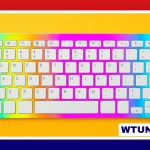
Aula’s HE Keys range is aimed at people who want a compact mechanical keyboard without moving into the cost or complexity of the enthusiast custom-keyboard market. The lineup combines space-saving layouts with practical features for gaming, office work, study, and travel. Its main appeal is flexibility: buyers can choose between very small boards, more familiar compact layouts, and different switch feels.
What makes the Aula HE Keys range different?
The series focuses on keyboards that are relatively easy to use out of the box while still offering room for personal preference. Depending on the model, the range may include compact cases, USB-C wired connectivity, wireless functionality, remapping options, and replaceable switches. Build materials and keycaps vary by release, so the exact specification should be checked for the individual keyboard rather than assumed across the entire lineup.
In general, Aula positions these boards around value and practicality. They are designed to provide a sturdy everyday typing platform, rather than serve as highly customised projects that require extensive assembly or modification.
Choosing a layout
Layout is one of the most important decisions because it determines how much desk space the keyboard uses and how easily you can access less common keys.
- Aula 60 HE: A 60-percent layout that removes the dedicated function row, arrow keys, and navigation cluster. It keeps the main typing keys while relying on layers or shortcuts for less frequently used commands. This makes it attractive for minimal desk setups and gaming-focused users.
- Aula F60: A compact option related to the 60-percent format. Specific releases may differ in layout or provide additional keys, so this model is best evaluated by its exact product configuration.
- Aula Win68 HE Max: A 68-key design that retains dedicated arrow keys and selected navigation keys. It occupies more space than a true 60-percent board but can be more convenient for documents, spreadsheets, coding, and general desktop use.
A smaller keyboard is not automatically better. If you regularly edit text, navigate tables, or use arrow keys, a 68-key model may save time even if it takes up slightly more room. Conversely, users who primarily game or value portability may prefer the reduced footprint of a 60-percent design.
Switch feel and typing comfort
The switch is responsible for much of a keyboard’s sound and feel. Aula HE models may be offered with different switch types, including linear, tactile, and clicky designs:
- Linear switches provide a smooth keypress without a tactile bump and are often chosen by users who prefer an uninterrupted stroke.
- Tactile switches provide noticeable feedback during the press, which some typists find useful for confirming keystrokes.
- Clicky switches add audible feedback as well as a distinct pressing sensation, although their extra sound may not suit shared workspaces.
Some versions may include pre-lubricated switches or support switch swapping. Those features can make it easier to adjust the board’s feel without replacing the entire keyboard, but compatibility still depends on the particular model and its included components. Anyone buying primarily for switch customisation should confirm the product specification before ordering.
Connectivity and software
Wired USB-C operation is a practical choice for a permanent desk setup and avoids concerns about battery life. Certain Aula keyboards also offer wireless modes, which can be useful when moving between devices or keeping a desk free from extra cables. Wireless features are not necessarily identical across the range, so pairing options and supported connections should be checked for the chosen model.
Software support is generally focused on useful basics rather than complicated configuration. Depending on the keyboard, users may be able to remap keys, create macros, or save settings through manufacturer software or onboard programming. This can be particularly helpful on a 60-percent keyboard, where secondary functions need to be easy to reach.
Where Aula HE keyboards fit best
For gaming, a compact board leaves more room for mouse movement and keeps the desk setup uncluttered. A 60-percent model can be a good match when function-row and navigation keys are rarely needed. For productivity, the Win68 HE Max or a similarly expanded compact layout may be more convenient because arrow and navigation keys are immediately available.
The range can also suit students, remote workers, and travellers who need a smaller keyboard without giving up a conventional mechanical typing experience. Before choosing one for frequent travel, consider the case size, wireless capability, cable arrangement, and whether the layout will remain comfortable away from a full-size keyboard.
How to select the right model
Start with the layout, then consider switch feel and connectivity. Choose the Aula 60 HE if minimum desk space is the priority and you are comfortable using layers. Consider an F60 variant if you want a compact format but need a slightly different key arrangement. Choose a 68-key model when dedicated arrow and navigation keys matter more than achieving the smallest possible footprint.
Finally, check the exact switch, keycap, connectivity, and software details for the specific release. That simple comparison helps avoid buying a board that is attractive in size or price but inconvenient for the way you actually type and play.