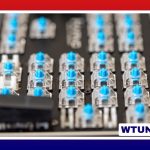
A fun keyboard can make everyday computing feel more personal. It might be a colorful board with creative keycaps, a compact mechanical keyboard that feels satisfying to type on, or a programmable model that turns repetitive tasks into quick shortcuts. The best choice combines personality with features that genuinely suit the way you work, play, or create. If you enjoy a fun keyboard, explore keyboard types explained to discover features suited to you.
What makes a keyboard fun?
Fun is not limited to bright lighting or unusual designs. A keyboard can be enjoyable because of the way it feels, sounds, looks, or responds to customization. Mechanical switches provide distinct feedback, while programmable keys let you adapt the board to your routines. A comfortable layout can also make long typing sessions more pleasant.
Common features that add enjoyment include:
- Per-key or zoned RGB lighting with customizable effects
- Interchangeable keycaps in distinctive colors, profiles, and materials
- Hot-swappable switches for experimenting with different typing feels
- Programmable layers, macros, and remapped shortcuts
- Wireless connectivity for a cleaner, more flexible desk
- Compact or ergonomic layouts that change how the keyboard is used
Keyboard styles worth considering
Compact mechanical keyboards
Sixty-five percent and similar compact layouts remove some dedicated keys to save desk space. They are appealing if you prefer a minimalist setup or need a portable keyboard. Before choosing one, check how the design handles arrow keys, navigation commands, and function-row shortcuts. These functions may be accessed through a secondary layer rather than separate keys.
Full-size and tenkeyless boards
A full-size keyboard keeps the number pad, making it practical for spreadsheets, data entry, and users who rely on dedicated navigation keys. A tenkeyless model removes the number pad while retaining the main typing area and function row. This provides more mouse space without requiring as much adjustment as a smaller layout.
Ergonomic and split keyboards
Split and ergonomic designs are built around a different hand position. Some separate the two halves, while others use angled or curved arrangements. They can be particularly interesting for people who type for long periods or want to explore a more comfortable setup. Their layouts may require a learning period, so ease of transition should be part of the decision.
Low-profile and wireless models
Low-profile mechanical keyboards combine a shorter key height with mechanical feedback, creating an experience closer to a laptop keyboard while retaining a more deliberate key feel. Wireless models reduce cable clutter and can be moved easily between devices. For these boards, pay attention to connection options, battery expectations, and whether the keyboard includes a wired mode.
Creating a funky keyboard setup
The easiest way to give a keyboard a distinctive appearance is to change its keycaps. Different profiles alter the shape and height of the keys, while color combinations can create anything from a restrained retro look to a bold, playful design. Novelty or artisan keycaps can highlight a favorite theme without replacing the entire keyset.
Other details can complete the setup, including a matching wrist rest, custom cable, decorative case, or desk mat. Lighting is another useful layer of personalization. Static colors may create a cleaner appearance, while animated effects can make a gaming or streaming setup more expressive. If the keyboard will appear on camera, choose effects that support the overall visual style rather than competing with it. Explore key placement patterns to make your fun keyboard more comfortable and enjoyable.
Choosing switches, layout, and software
Switches have a major effect on the keyboard’s character. Linear switches press smoothly, tactile switches provide a noticeable bump, and clicky switches add a sharper audible response. No type is universally best. Consider whether you share a workspace, type mostly text, play games, or simply enjoy a particular sound and feel.
Hot-swappable hardware makes switch changes easier because switches can be replaced without soldering. This is useful for anyone who wants to try several options over time. Stabilizers also affect the feel of larger keys such as the space bar and Enter key, so overall build quality matters alongside the switch type.
Configuration software determines how much control you have over the keyboard. Look for support for remapping, macros, lighting profiles, and multiple layers if those functions are important to you. Also confirm compatibility with your operating system and the applications you use regularly. A feature-rich keyboard is less useful if its software is difficult to configure or does not support your workflow.
Useful applications beyond appearance
A playful design does not prevent a keyboard from being practical. Gamers may value responsive input, reliable rollover, and shortcuts that keep frequently used commands close at hand. Writers and programmers can use remapped keys for editing actions, navigation, or repetitive commands. Content creators may assign controls for commonly used tools, while office users can create shortcuts for recurring tasks.
Colorful, approachable keyboards can also make typing practice more inviting for children and beginners. For any user, comfort, key placement, noise level, and connection reliability should take priority over visual effects that may quickly lose their appeal.
Maintenance and customization
Regular cleaning helps keep a keyboard attractive and prevents dust and debris from affecting the keys. Remove keycaps carefully when a deeper cleaning is needed, and make sure every part is dry before reassembly. Worn keycaps, switches, or stabilizers can often be replaced, extending the useful life of a board.
For the greatest level of control, enthusiasts can build a keyboard from individual parts such as a case, PCB, plate, switches, stabilizers, and keycaps. A custom build takes more planning than buying a finished model, but it allows the layout, sound, appearance, and typing feel to be selected independently.
Make the keyboard fit the person using it
The right fun keyboard should be enjoyable every time you reach for it, not merely attractive in a product photo. Start with your preferred layout and switch feel, then consider lighting, keycaps, programmability, and wireless features. Whether you choose a vibrant prebuilt model or create a fully custom board, the strongest setup is one that adds personality while making your everyday tasks more comfortable and efficient.