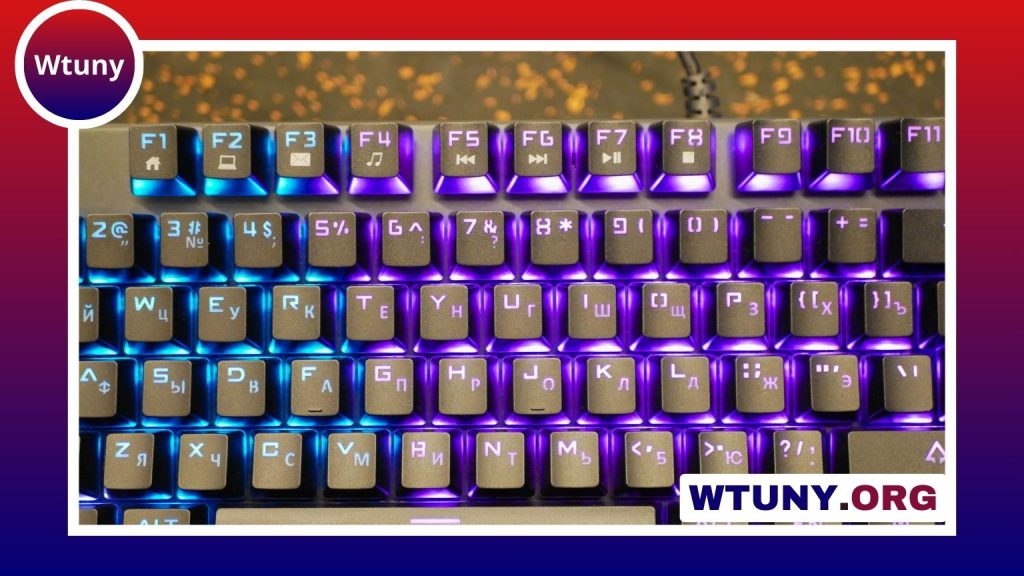
The Apex TKL is designed for people who want a full-size keyboard experience without the extra width of a numeric keypad. Its tenkeyless layout keeps the main typing keys, function row, navigation cluster, and arrow keys while removing the dedicated number pad. The result is a more compact setup that leaves additional room for a mouse, notebook, microphone, or other desk equipment.
Why choose a tenkeyless layout?
For gaming, a TKL keyboard can make it easier to position the mouse closer to the body. This may feel more natural during long sessions and gives users greater freedom when setting a wide mouse-sensitivity range. The smaller footprint is also useful on shallow desks, shared workspaces, and portable setups.
The main compromise is the missing numeric keypad. If your work involves frequent data entry, spreadsheets, accounting, or other number-heavy tasks, a full-size keyboard may be more convenient. For general typing, programming, creative work, and gaming, many users find that the TKL arrangement provides a practical balance between access and desk space.
Build and everyday comfort
Apex TKL models are aimed at users who want a sturdy mechanical keyboard that can serve as both a gaming peripheral and a daily productivity tool. A firm chassis helps the keyboard stay stable during fast inputs, while well-supported keycaps contribute to a more consistent feel across the board.
When comparing models, look beyond appearance. Check the keyboard’s overall weight, the quality of its keycaps, the design of its feet, and whether the cable can be detached. These details affect portability, desk stability, and long-term convenience. A wrist rest may also be worth considering if you type or play for extended periods, although the best choice depends on your preferred hand position.
Switches and typing feel
The switch type has a major effect on how an Apex TKL feels. Linear switches usually provide a smooth keystroke without a noticeable bump, which can suit rapid gaming inputs. Tactile switches provide feedback during the press and may appeal to people who want clearer confirmation while typing. The right option is a matter of preference rather than a universal performance ranking.
Some higher-end or pro-oriented TKL variants focus on adjustable actuation and other response settings. These features can be useful to players who want to fine-tune how quickly a key responds. They do not replace good technique, however, and users who spend equal time writing, coding, or messaging should also consider noise, key stability, and comfort.
Gaming, work, and customization
The compact layout makes the Apex TKL a natural fit for competitive games, where mouse space and consistent key access matter. Features such as anti-ghosting and full-key rollover are intended to help the keyboard register multiple simultaneous inputs reliably. The same layout can benefit streamers and content creators by leaving more room for microphones, control surfaces, or other equipment.
For productivity, customization can be just as important as speed. Companion software may allow users to remap keys, create macros, assign application-specific profiles, and configure RGB lighting. Depending on the model, profiles may be stored in software or on the keyboard itself. Per-application settings are especially useful if the same keyboard is used for games, editing tools, and everyday office work.
How to select the right Apex TKL
Start with your main use rather than choosing the most feature-heavy model automatically. Consider these questions before buying:
- Do you need a numeric keypad? If so, a TKL keyboard may require an adjustment or a separate keypad.
- What switch feel do you prefer? Choose between a smoother linear response and the feedback of a tactile design where available.
- Is adjustable actuation important? This is most relevant to users who want detailed control over gaming inputs.
- Will you use multiple computers? Onboard profile storage and a detachable cable can make moving between systems easier.
- How much customization do you need? Check support for remapping, macros, lighting control, and per-application profiles.
- How much typing will you do? Keycap shape, sound, wrist support, and switch comfort may matter more than gaming-focused specifications.
Care and maintenance
Regular cleaning helps preserve the feel of a mechanical keyboard. Disconnect the keyboard before cleaning, remove loose debris carefully, and wipe the exterior with a suitable dry or lightly damp cloth. Keycaps can be removed for more thorough cleaning if the model and your tools support it. Avoid forcing components or allowing moisture to enter the switches and electronics.
Replacement keycaps, wrist rests, and other accessories can also change the appearance or comfort of the setup. Before buying accessories, confirm compatibility with the keyboard’s key layout and mounting design.
Final considerations
The Apex TKL appeals to users who want a focused keyboard that saves space without abandoning dedicated navigation keys and the function row. Entry-level versions may be sufficient for dependable gaming and everyday typing, while pro-oriented models can offer more extensive response controls and customization. Compare the switch feel, software features, layout, and price against your actual workflow, and treat the missing number pad as the most important trade-off to evaluate.