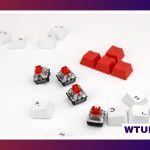
A TKL keyboard, short for tenkeyless keyboard, keeps the familiar main typing area, function row, arrow keys, and navigation cluster while leaving out the dedicated numeric keypad. The result is a narrower keyboard that preserves most of a conventional layout without taking up the full width of a standard desktop board.
This format suits people who want more room for a mouse, a cleaner desk setup, or a more portable keyboard but do not want to adapt to a 60% or similarly compact layout. It is available in basic office models, gaming keyboards, and highly customizable mechanical designs.
What makes a TKL keyboard different?
The defining feature is the missing number pad on the right side. Unlike smaller layouts, a TKL keyboard normally retains the function keys, arrow keys, and navigation buttons such as Insert, Home, and Page Up. That makes the transition from a full-size keyboard relatively straightforward.
Removing the number pad also reduces the distance between the alphanumeric keys and the mouse. This can make a difference for users who spend long periods typing and navigating with a mouse, particularly when desk space is limited. The trade-off is that entering long strings of numbers is less convenient without a separate keypad.
Who should consider a tenkeyless keyboard?
A TKL layout is a useful middle ground for several types of users:
- Gamers: The shorter width leaves more space for broad mouse movements and can help create a less crowded setup.
- Writers and general office users: The familiar layout provides dedicated navigation and function keys without the footprint of a full-size board.
- Small-desk users: A narrower keyboard can leave room for notebooks, a second device, or other desk equipment.
- Keyboard enthusiasts: Mechanical TKL models often support switch, keycap, and acoustic modifications.
- Mobile or flexible workers: A smaller board may be easier to move than a full-size keyboard, although weight and case design vary considerably.
A full-size keyboard may still be the better choice for accounting, spreadsheet-heavy work, or any workflow that relies constantly on rapid numeric entry. A separate USB number pad can provide a similar solution when the smaller main keyboard is preferred.
Important features in a TKL mechanical keyboard
Switch type
Mechanical switches determine much of a keyboard’s sound and feel. Linear switches have a smooth keypress, tactile switches provide a noticeable bump, and clicky switches add both tactile feedback and a distinct click. The best option depends on personal preference, typing style, and whether the keyboard will be used near other people.
If you want the option to change switches later, look for a hot-swappable PCB. Hot-swap sockets allow compatible switches to be removed and installed without soldering. This is useful for experimentation, repairs, or gradually tuning the board to a preferred feel.
Construction and typing feel
Case materials, internal dampening, the mounting method, and the plate all influence how a keyboard feels and sounds. Some boards are designed to feel firm and direct, while others use more flexible constructions for a softer keystroke. Plate materials can include aluminum, polycarbonate, or brass, with each contributing differently to stiffness and acoustics.
Stabilizers support larger keys such as the space bar, Enter key, and Shift keys. Well-adjusted stabilizers reduce rattle and produce a more consistent press. On a budget model, stabilizer noise may be more noticeable than the sound of the smaller keys.
Wired and wireless connectivity
USB-C is common among modern TKL mechanical keyboards, but cable quality and connector placement can still affect everyday convenience. Wireless models may offer Bluetooth for multiple devices and a 2.4 GHz connection intended for lower-latency use. Check how devices are switched, how the battery is charged, and whether the keyboard can also operate while connected by cable.
For gaming, useful considerations include reliable key rollover, anti-ghosting, consistent input response, and software that supports remapping or macros. Polling rate can also be part of the specification, but it should be considered alongside connection stability, switch behavior, and overall build quality.
Choosing the right TKL keyboard
Start by identifying how the keyboard will be used most often. A gaming-focused board may prioritize a responsive connection, durable keycaps, and programmable controls. A keyboard for writing or office work may benefit more from comfortable switches, moderate acoustics, and straightforward connectivity.
For customization, look for hot-swap support, standard keycap sizing, programmable layers, and software or firmware that matches your preferences. If sound matters, investigate the case construction, plate, stabilizers, and included dampening rather than relying only on switch descriptions.
Also consider practical details: the keyboard’s height, included wrist support, adjustable feet, cable routing, layout variations, and replacement-part availability. A compact board is not automatically comfortable, so desk position and typing posture remain important.
Customization and maintenance
A mechanical TKL keyboard can often be refreshed without replacing the entire board. New keycaps change the appearance and may alter the feel, while different switches can make the keys smoother, firmer, quieter, or more tactile. Enthusiasts may also tune stabilizers, lubricate compatible switches, or add internal dampening to adjust the sound.
Routine care is simpler: disconnect the keyboard before cleaning, remove loose debris, and wipe the case and keycaps with appropriate materials. Avoid applying liquid directly to the board. With sensible maintenance and replaceable components, a tenkeyless keyboard can remain useful even as your preferred typing feel changes.