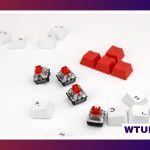
An orange mechanical keyboard combines a distinctive visual style with the customization and tactile feedback associated with mechanical switches. The orange may come from the case, keycaps, lighting, or a themed colorway. In some product lines, “orange” also identifies a particular switch model, but the name alone does not tell you whether the switch is linear, tactile, or clicky.
The best choice depends on more than appearance. Switch feel, keyboard layout, construction, connectivity, firmware, and keycap quality all affect how the keyboard performs for gaming, typing, office work, or creative use.
Orange keyboard or orange switches?
Start by separating the keyboard’s color from its switch specification. An orange keyboard can contain switches in almost any color, while an “orange switch” may be installed in a keyboard with a black, white, gray, or transparent case. Switch colors are not standardized across manufacturers, so always check the product’s technical description rather than relying on the color label.
Switches generally fall into three categories:
- Linear: Smooth travel with no intentional tactile bump. These are often chosen for consistent, uninterrupted key presses.
- Tactile: A noticeable bump provides feedback during the press. This can suit people who want a more deliberate typing experience.
- Clicky: Tactile feedback is combined with a distinct clicking sound. They can be enjoyable for personal use but may be distracting in shared spaces.
Some keyboards also use optical switches, which detect actuation with light rather than conventional metal contacts. Their feel still depends on the specific switch design, so optical technology should not be treated as a substitute for testing the switch characteristics.
Build features that change the typing experience
The internal construction of a mechanical keyboard influences its stiffness, sound, and key feel. A firm plate and rigid case can produce a sharper response, while a more flexible mounting system may feel softer. Gasket-mounted designs and internal foam are commonly used to reduce harsh resonance and create a more muted sound profile.
Plate materials also contribute to the result. Aluminum and brass tend to provide a firm foundation, while polycarbonate and FR4 can offer different levels of flexibility and resonance. None is universally best; the right option depends on whether you prefer a crisp, energetic sound or a quieter, softer presentation.
Pay particular attention to stabilizers on larger keys such as the spacebar, Enter, and Shift keys. Poorly tuned stabilizers can rattle even when the smaller keys feel smooth. A hot-swappable PCB is useful if you want to try different switches without soldering, while a non-hot-swappable board may be suitable if you already know which switches you want.
Keycaps and the orange colorway
Keycap material affects both durability and acoustics. PBT keycaps usually have a textured surface and resist developing a glossy appearance from prolonged use. ABS keycaps can feel smooth and may produce a brighter sound, although their long-term finish depends on the thickness and quality of the caps.
For a color-focused setup, check how the legends are made. Double-shot and dye-sublimated legends are generally more resistant to wear than simple surface printing. Also confirm the keycap profile and layout compatibility before buying replacement caps. A set designed for one layout may not include the correct keys for a compact, tenkeyless, or full-size keyboard.
Connectivity, layout, and customization
A wired USB-C connection is a straightforward choice for a desk-based setup. Wireless keyboards may offer Bluetooth, a 2.4 GHz receiver, or both, which can be convenient when switching between devices. If gaming or other latency-sensitive work is important, review the connection options and manufacturer specifications carefully.
Layout is equally important:
- Full-size: Includes a number pad and is practical for frequent data entry.
- Tenkeyless: Removes the number pad while retaining the function row and navigation cluster.
- 65% or similar compact layouts: Save desk space but may move or omit navigation and function keys.
For custom workflows, look for programmable layers, remapping, macros, and per-key lighting controls. Firmware that works with tools such as QMK or VIA can make it easier to assign alternate functions and adjust layouts. Confirm compatibility before purchasing, since not every keyboard supports the same software or features.
Choosing an orange mechanical keyboard for your use
Gaming: Consider a layout that leaves more room for the mouse, consistent switches, reliable rollover, and a connection suited to your setup. Linear switches are one possible choice, but personal preference matters more than the color or switch name.
Typing: Tactile switches, comfortable keycaps, and well-tuned stabilizers can provide useful feedback during long writing sessions. If you share a room, choose a quieter build or add appropriate dampening.
Streaming and creative work: An orange colorway can complement a visual brand or desk theme, while programmable layers and macros can assign shortcuts to frequently used actions.
Office use: Noise level, wireless convenience, and a practical layout may matter more than lighting. A foam-damped case and quieter switches can help reduce disruption.
Buying and maintaining the keyboard
If possible, test switches or buy from a seller with a suitable return policy. Check the switch type, actuation characteristics, layout, keycap compatibility, firmware support, and whether the board is hot-swappable. Do not assume that an orange product image accurately represents the final color, especially when purchasing keycaps or cases online.
Keep the keyboard clean by removing keycaps and clearing dust periodically. Use appropriate care when cleaning the switches and PCB, and avoid introducing liquid into the case. Over time, switches, stabilizers, or springs can be replaced or serviced, particularly on a board designed for modification.
The right orange mechanical keyboard should match both your desk and your daily habits. Treat the color as the starting point, then choose the switch feel, layout, construction, connectivity, and customization features that make the keyboard comfortable and useful.