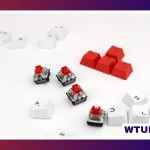
Quiet keycaps are a simple way to change the sound of a mechanical keyboard without rebuilding the entire board. By combining suitable materials, thicker walls, and sound-absorbing designs, they can soften sharp key noise and reduce some of the hollow resonance produced by the keycaps and keyboard case.
They are particularly useful in shared offices, home workspaces, bedrooms, and streaming setups where typing noise can become distracting. A keycap swap is also reversible, making it a practical first step before changing switches or carrying out more involved keyboard modifications.
What makes a keycap quieter?
Keycap material, thickness, profile, and internal construction all affect the sound of a keyboard. Thin keycaps can produce a brighter, sharper tone, while thicker keycaps often create a deeper and less brittle sound. The difference is not limited to one material: both PBT and ABS keycaps can vary considerably depending on their construction.
- Thick PBT: Often produces a fuller, deeper sound and generally retains its textured finish well.
- Thick ABS: Can also sound relatively soft, although the surface may become smoother and develop shine with use.
- Specialized or multi-layer designs: Some sets use internal structures, textured undersides, or integrated dampening elements to absorb impact and reduce resonance.
- Keycap profile: The height and shape of a set change both its typing feel and its acoustic character.
These features usually reduce or reshape noise rather than eliminate it completely. The final result also depends on the switches, stabilizers, plate, case, and desk surface.
Quiet keycaps versus silent keycaps
The terms are often used interchangeably, but they can describe different design goals. Quiet keycaps generally aim to lower the volume and produce a softer, deeper tone. Silent keycaps may include dedicated dampening features, such as silicone elements or specially designed bases intended to cushion the keypress.
If minimum noise is the priority, look for keycaps specifically marketed as silent and pay attention to descriptions of their dampening construction. Even then, keycaps alone cannot compensate for loud switches, rattling stabilizers, or a resonant case. The quietest result usually comes from treating the keyboard as a complete system.
Compatibility and installation
Before ordering a set, check the switch stem and keyboard layout. Many aftermarket keycap sets use the common Cherry MX-style cross stem, but not every keyboard uses that mounting system. Layout support is equally important: compact and split layouts may require unusual sizes or additional keycaps that are not included in a standard set.
Installation is straightforward:
- Disconnect the keyboard if it is wired.
- Use a keycap puller to lift the original keycaps straight up.
- Align each replacement keycap with the switch stem.
- Press down evenly until the keycap is seated.
- Test the keys and check that larger keys move without binding.
For stabilized keys such as the spacebar, Enter, Shift, and Backspace, avoid forcing the cap at an angle. These keys use additional stabilizer components and may need a little more care during removal and installation.
Other ways to reduce keyboard noise
A quiet keycap set can be combined with several simple modifications. Case foam or a silicone layer can reduce hollow resonance, while lubricating stabilizers can address rattles and squeaks. Switches designed for silent operation may reduce both the sound of the switch mechanism and the impact at the top and bottom of the key travel.
These changes solve different sources of noise. Keycaps mainly affect the sound produced when a key is struck and the way sound resonates around the board. They will not remove a loud switch or fix a loose stabilizer on their own.
Choosing keycaps for your workspace
Sound is only one part of the decision. Consider the surface texture, legend style, profile, durability, and appearance you want for everyday use. Textured finishes can provide more grip, while smoother caps may feel faster to some users. PBT is often selected for its resistance to shine, whereas ABS offers different surface and design possibilities.
For open offices and shared rooms, a softer overall tone may be more useful than pursuing the lowest possible volume. Streamers and content creators should also listen for noise picked up by their microphone, since a keyboard that sounds acceptable at the desk can still be prominent in a recording.
Testing and maintaining a quieter setup
Test the keycaps by typing at your normal speed in the environment where noise matters. Listen for both sudden peaks and ongoing resonance rather than judging the set from a few isolated keypresses. If possible, record a short sample from the same position used for calls or streaming.
Keep removable keycaps clean with warm water, mild soap, and a soft brush. Allow them to dry completely before reinstalling them. Regular cleaning helps preserve the intended texture and feel, while occasional checks of the stabilizers can prevent new rattles from undermining an otherwise quiet keyboard.
Quiet keycaps are a relatively low-effort upgrade for anyone who wants a calmer typing experience. Choose a compatible set with appropriate thickness and construction, then consider the switches and case if further noise reduction is needed.