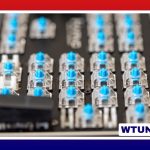
A computer keyboard with a dedicated number pad can make numeric work faster, more comfortable, and easier to control. It is especially useful for spreadsheets, accounting software, data entry, inventory systems, and any task that involves entering figures repeatedly. Unlike compact and tenkeyless keyboards, a full-size model keeps the numeric keys in a separate, consistent layout that supports touch entry and familiar muscle memory. Explore numeric keypad accessories to expand functionality and comfort when using a computer keyboard with number pad.
Why a dedicated number pad is useful
The number row above the letters works well for occasional figures, but it can be less convenient when entering long sequences of numbers. A dedicated keypad lets you position one hand over the numeric area while the other remains near the main typing section, navigation keys, or mouse. This arrangement can reduce unnecessary hand movement during repetitive tasks.
A number pad is particularly valuable when you regularly:
- Enter prices, quantities, totals, or account figures in spreadsheets
- Process invoices, ledgers, or other financial records
- Complete forms that require frequent numeric input
- Work with inventory, measurements, codes, or calculations
- Use software shortcuts or macros assigned to numeric keys
Some keypads also include navigation functions, such as Home, End, Page Up, and Page Down, when Num Lock is disabled. This gives the right-hand section a second role beyond number entry.
Important features to compare
Switch and key feel
The switch type affects sound, resistance, and feedback. Mechanical keyboards are often chosen for their distinct tactile response and durability. Low-profile mechanical and scissor-switch keyboards may be a better match for users who prefer a shallower, quieter typing feel. There is no universally correct option, so consider whether you like a firm, tactile press or a lighter and quieter key action.
Keycap quality and the keyboard’s overall construction also matter when it will be used for many hours each day. A stable chassis and clearly labeled keys can make heavy, repetitive use more pleasant and help the keyboard remain useful over time.
Wired or wireless connectivity
A wired keyboard provides a straightforward connection and does not require battery charging. It can be a practical choice for a fixed workstation or any setup where consistent input is the priority.
Wireless keyboards reduce cable clutter and allow more freedom when arranging a desk. Bluetooth and dedicated wireless receivers are common approaches. If you choose a wireless model, check its battery requirements, connection method, and whether it can pair with more than one device. These details are especially important if the keyboard will move between a desktop computer and another device.
Layout and size
Full-size keyboards commonly place the number pad to the right of the main keys, along with navigation and function-key sections. A standard US layout is often described as a 104-key layout, while international versions may use different arrangements and key sizes. If you prefer a compact mechanical layout, compare the Rainy75’s streamlined design with full-size number-pad keyboards.
Tenkeyless keyboards remove the number pad to save desk space, so they are less suitable if numeric entry is a regular part of your work. A separate USB number pad can be an alternative when you usually want a compact keyboard but occasionally need dedicated numeric keys. This approach also lets you position the keypad on the side that best suits your workspace.
Ergonomics for longer sessions
A number pad adds convenience, but its position can affect how far you reach for the mouse. If you frequently alternate between numeric entry and mouse work, pay attention to the keyboard’s width and the distance between the keypad and the rest of your desk.
Useful comfort features may include:
- Adjustable feet or tilt settings
- A key profile that matches your typing style
- A detachable or integrated wrist rest
- A split, curved, or tented design for users who prefer a different hand position
- Enough desk depth to keep the keyboard and mouse at comfortable distances
A wrist rest can support the hands during extended typing, although it should not force the wrists into a sharply bent position. Comfort depends on personal preference, so try to evaluate the keyboard’s height, angle, and key resistance together rather than choosing based on one feature alone.
Accessories and maintenance
Simple accessories can adapt a keyboard to a particular workflow. A padded wrist rest may improve comfort, while programmable keys or compatible software can provide shortcuts for frequently repeated actions. Replacement keycaps can refresh a worn keyboard or change its appearance, and durable keycap materials may be useful for heavy use.
Regular cleaning helps prevent dust and debris from interfering with key movement. Disconnect a wired keyboard or switch off a wireless one before cleaning. Use gentle methods such as compressed air and a soft cloth; for a deeper clean, keycaps can be removed when the keyboard’s design allows it. Mechanical keyboards may also require occasional switch or stabilizer maintenance, while programmable models can benefit from checking firmware and saved shortcut settings when problems occur.
Choosing based on your workflow
The best computer keyboard with a number pad is the one that fits the way you work. For frequent numeric entry, prioritize a familiar keypad layout, comfortable key action, and a construction suitable for daily use. For a flexible desk, consider wireless connectivity or a detachable number pad. If comfort is the main concern, focus on keyboard height, wrist support, angle, and hand positioning.
By matching the keyboard’s layout and features to your tasks, you can gain the convenience of dedicated numeric input without overlooking comfort, desk space, or long-term maintenance.