A dedicated numeric keypad can make a compact keyboard or laptop much more practical for number-heavy work. Instead of reaching for the number row, you can enter figures using the familiar calculator-style layout found on a full-size keyboard. This can be especially useful for spreadsheets, bookkeeping, data entry, measurements, and other tasks that involve repeated numeric input.
An external keypad also lets you keep the smaller footprint of a tenkeyless or laptop keyboard. You can position the number pad where it is most comfortable, move it aside when it is not needed, or take it with you when working away from your main desk.
Why use an external numeric keypad?
Many compact keyboards leave out the right-hand number block to save space. Laptops often use the same approach, relying on the top row of numbers instead. That arrangement is suitable for occasional number entry, but it can feel slow and awkward when you need to enter long sequences or work with columns of figures.
A separate number pad provides several practical advantages:
- Faster numeric entry: The grouped layout is designed for repeated number input.
- Familiar muscle memory: The arrangement resembles the keypad on a standard full-size keyboard.
- Flexible positioning: You can place the keypad on either side of a laptop or keyboard.
- More desk options: Your primary keyboard can remain compact while the keypad is removed when unnecessary.
- Improved workflow: Number entry and general typing can be separated to suit your preferred posture.
Wired and wireless keypad connections
USB numeric keypads
A wired USB numeric keypad is a straightforward choice for a desktop computer or a laptop with a suitable USB connection. It does not need batteries, and its cable keeps the device ready whenever it is plugged in. USB models are often a good fit for fixed workstations, spreadsheet work, and other situations where mobility is not important.
Before buying, check the connector type and whether you need an adapter for your computer. Most basic keypads are intended to work without special software, but advanced models may include configuration tools for programmable keys or other functions.
Bluetooth and receiver-based models
Wireless keypads reduce cable clutter and make it easier to move the device around a desk. Bluetooth models can be convenient for compatible laptops and compact setups, while models supplied with a dedicated USB receiver may be useful when you prefer a receiver-based connection.
Wireless options require attention to battery use, pairing, and receiver storage. If the keypad will be used for long periods at a permanent desk, a wired model may be simpler. If you regularly switch between locations, a wireless keypad can provide more flexibility.
Check the layout before choosing
External keypads vary more than their basic appearance suggests. A conventional layout usually includes the numbers zero through nine, arithmetic operators, a decimal key, an Enter key, and Num Lock. Some compact designs reduce the size of certain keys or combine secondary functions to save space.
Compare the layout with the one you already use, particularly if you rely on specific shortcuts or have developed strong touch-typing habits. Pay attention to the position and size of the zero, decimal, Enter, plus, and arrow keys. Small changes can affect comfort when entering figures quickly.
Num Lock behavior is another detail worth checking. The keypad should respond as expected in your operating system and in the applications you use most often. A device may work for basic number entry while offering different behavior for navigation keys or special functions.
Features that may matter
The best keypad depends on how and where you work. Consider these features in relation to your daily use:
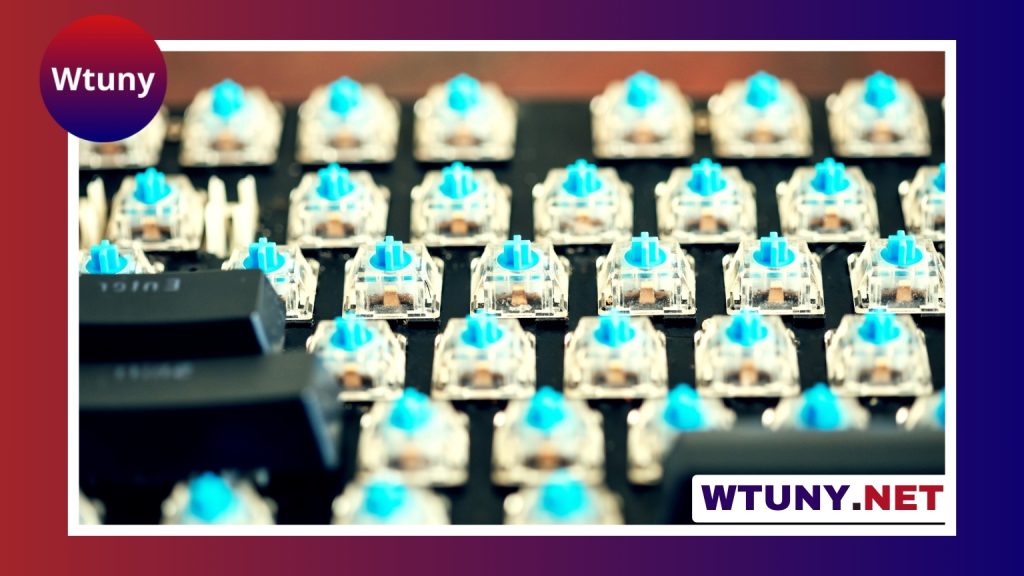
- Switch type: Mechanical switches can provide a more pronounced tactile response, while membrane or low-profile designs may be quieter.
- Size and weight: A slim, lightweight pad is easier to carry, while a heavier base may stay steadier during frequent entry.
- Ergonomic shape: An angled design or palm rest may be more comfortable during extended sessions.
- Programmable keys: Extra keys can be useful for repeated commands, provided the required software works with your system.
- Backlighting: Lighting can help in dim environments, although it may increase power use on wireless models.
- Number of devices supported: Some wireless keypads are designed for use with more than one paired device.
Who benefits from a PC numeric keypad?
An external keypad is particularly useful for people who work with spreadsheets, accounts, inventories, forms, measurements, or other structured numerical information. It can also suit students, researchers, designers, and home users who prefer a dedicated layout for tasks such as cataloging information or entering prices.
For laptop owners, the main benefit is gaining full-size numeric input without replacing the built-in keyboard. For desktop users with a compact keyboard, a separate keypad offers the option of adding number entry only when it is needed.
Making the final choice
Start with your most frequent task. Choose a wired USB model if dependable, uncomplicated desk use is the priority. Consider Bluetooth or another wireless design if portability and a cleaner workspace matter more. Then verify the key layout, operating-system compatibility, connection requirements, and any software needed for extra functions.
A numeric keypad for PC is a small accessory, but the right one can make number-heavy work more comfortable and efficient. Matching its connection, layout, size, and key feel to your workflow will help it function as a natural extension of your laptop or compact keyboard.